

Feature Friday: How to Message Your Writer

 | Updated on Mar 16, 2021

Feature Friday: How to Message Your Writer

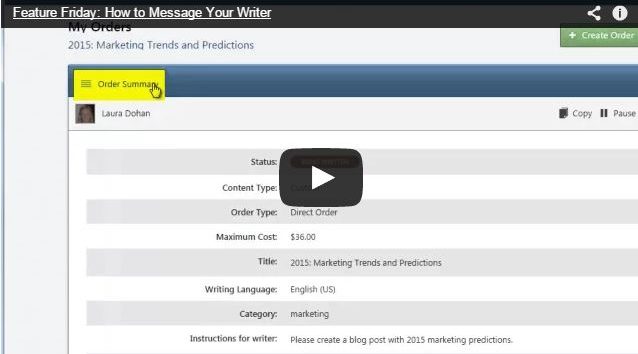
Today on Feature Friday, Jovita demonstrates how you are able to communicate with your writer.

The first step is to click on the order your writer is working on.

In the bottom right hand corner of your screen, you will see a box that says ‘Message Your Writer’, click on that.

You are now in the chat window with your writer. Both you and your writer have the ability to send a message.

If your writer is not online, they will get an email with your message.

This is a handy feature for your writer if they are looking for more information or specification on your order.

Most of our high volume users like to use the chat feature to open up the lines of communication and build a relationship with their writers.

Laura Dohan

Laura Dohan

Laura is the Marketing and Community Manager at Crowd Content. She manages over 2000 content writers, content marketing, advertising, and community at Crowd Content. You'll see her popping in on the Crowd Content blog and on twitter, @laurdoh.

Website  
stellar blog

Take your content to the next level with Stellar!

Ensure your writers have the tools to produce quality content that ranks on Google.

More Blogs

How to Humanize AI Content

According to HubSpot’s 2024 State of Generative AI & How It Will Revolutionize Marketing study, 56% of marketers who use generative AI for ...[ continue reading ]

5 Best Content Writing Services

Struggling to stay on top of content deadlines without lowering your quality standards? You're not alone. More than half of marketing professionals faced ...[ continue reading ]

Creating Content that Works for You (Part 1)

Know What You and Your Audience Want What gets your audience going? Content creation might seem like a challenging task but the right ...[ continue reading ]