

Feature Friday: Mark Your Content as Published

 | Updated on Apr 29, 2025

Feature Friday: Mark Your Content as Published

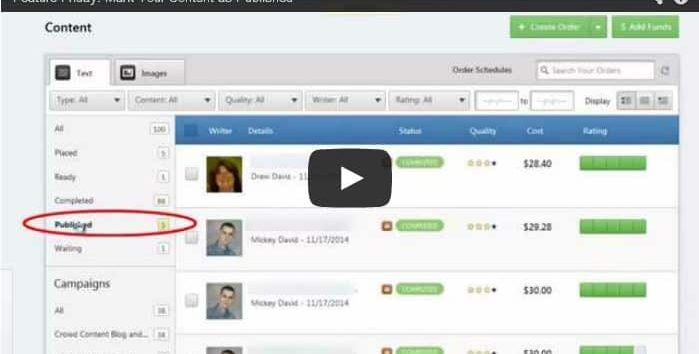
Today on Feature Friday, Matt, shows off the latest feature available to Crowd Content clients- the mark as published option.

Once your content has been written and is completed by your writer(s), the next step is to export and publish your content to your site.

At that point, your content is published. If you custom exported the content, you can mark it as published. If you used the Crowd Content WordPress connector, it will automatically be marked as published.

All completed and published content will appear in the published folder. If, at any time, you would like to unpublish your content, you can do so by clicking ‘mark as unpublished’.

Feel free to leave any questions below, or, contact your account manager for more details.

Laura Dohan

Laura Dohan

Laura is the Marketing and Community Manager at Crowd Content. She manages over 2000 content writers, content marketing, advertising, and community at Crowd Content. You'll see her popping in on the Crowd Content blog and on twitter, @laurdoh.

Website  
stellar blog

Take your content to the next level with Stellar!

Ensure your writers have the tools to produce quality content that ranks on Google.

More Blogs

Is Content Writing a Dying Service?

Why "content writing is dying" sounds believable right now The argument writes itself. AI tools produce clean, readable articles in minutes. Businesses that ...[ continue reading ]

AI Content Governance: Rules for Quality, Risk, Workflow, and Human Review

AI made content cheap to produce, not safe to publish. A draft that used to take a day now takes minutes. But the ...[ continue reading ]

Creating Content that Works for You (Part 1)

Know What You and Your Audience Want What gets your audience going? Content creation might seem like a challenging task but the right ...[ continue reading ]